

Author: WebArt Technology Team
Reading Time: 10–12 minutes
Table of Contents
- What Is SaaS?
- How SaaS Companies Make Money and Operate
- What Are Operational Costs for SaaS Companies?
- Why Operational Costs Become a Challenge as SaaS Companies Grow
- What Are AI Automation Services?
- How AI Automation Services Help SaaS Companies Reduce Operational Costs
- Key SaaS Business Processes That Can Be Automated
- AI Automation Services for SaaS Customer Support
- AI Automation Services for SaaS Sales
- AI Automation Services for SaaS Marketing
Introduction
Running a SaaS business in the United States can look deceptively simple from the outside. Build useful software, attract customers, collect subscriptions, and watch the numbers climb. In reality, there is a long list of moving parts behind every successful SaaS product.
There are leads to qualify, customers to onboard, tickets to answer, invoices to send, databases to update, reports to prepare, and follow-ups that somehow always seem to arrive at the worst possible time.
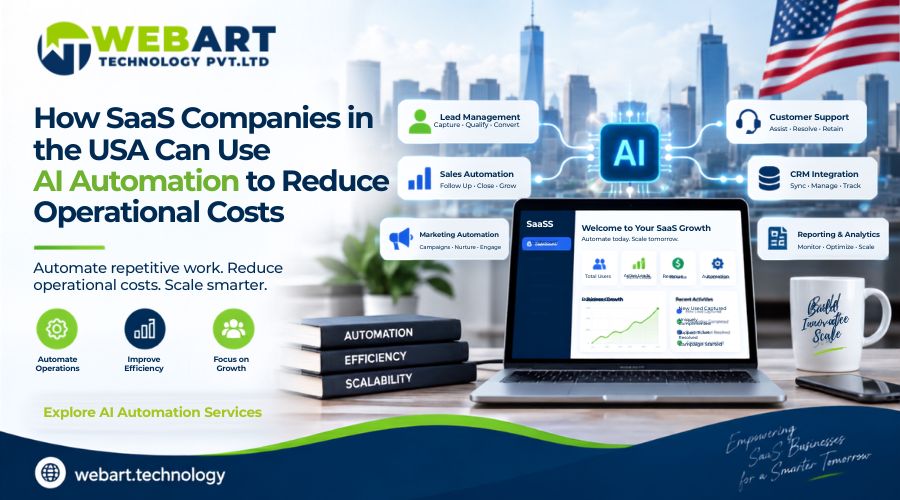
This is where AI Automation Services can make a practical difference. Instead of asking employees to repeatedly perform the same tasks, businesses can create connected workflows that handle routine activities more efficiently.
For SaaS companies, the opportunity is particularly significant because the business model depends on serving a growing number of customers without allowing operating expenses to grow at exactly the same pace.
The goal isn’t to automate people out of the picture. The goal is to stop highly skilled employees from spending their afternoons doing work that could have been handled by a well-designed workflow.
What Is SaaS?
SaaS stands for Software as a Service. It is a software delivery model where customers access software through the internet rather than purchasing and installing a traditional software package on their own computers or servers.
Think about the difference between buying a physical DVD containing software years ago and subscribing to an online business application today.
With SaaS, customers generally log into an online platform through a web browser or application. The provider manages the underlying infrastructure, updates, maintenance, security, and much of the technical environment.
Popular SaaS products are used for everything from communication and accounting to project management, customer relationship management, marketing, human resources, and collaboration.
How Does the SaaS Model Work?
A typical SaaS business operates around recurring revenue.
Customers may pay:
- Monthly subscriptions
- Annual subscriptions
- Usage-based fees
- Per-user pricing
- Tiered plans
- Enterprise contracts
- Freemium-to-paid upgrades
For example, a SaaS company might offer three plans:
| Plan | Typical Customer | Pricing Structure |
| Starter | Small businesses | Monthly subscription |
| Professional | Growing companies | Per-user or monthly subscription |
| Enterprise | Large organizations | Custom contract |
The exact pricing model varies, but the underlying principle remains similar: customers pay for continued access to a software service.
Why Is SaaS Different From Traditional Software?
Traditional software often involved a large upfront purchase followed by separate maintenance or upgrade costs.
SaaS changes that relationship.
The provider continuously manages the product while customers receive ongoing access.
This creates several advantages:
- Customers can access software from different locations.
- Updates can be delivered centrally.
- Businesses can scale their number of users.
- Providers can continuously improve their products.
- Revenue becomes more predictable when subscriptions remain active.
However, this model also creates an important challenge.
A SaaS company has to keep delivering value month after month.
A customer who purchases a product once may tolerate a long gap between updates. A subscriber paying every month has a different expectation.
How SaaS Companies Make Money and Operate
A SaaS company isn’t simply selling software. It is managing an ongoing customer relationship.
The customer journey often looks something like this:
Marketing → Lead Generation → Sales → Signup → Onboarding → Product Usage → Support → Renewal → Expansion
Every stage requires people, systems, communication, and data.
1. Marketing
Marketing teams attract potential customers through:
- Search engines
- Paid advertising
- Social media
- Content marketing
- Email campaigns
- Partnerships
- Webinars
- Referral programs
The objective is to generate qualified interest.
2. Sales
Once a prospect shows interest, sales teams may:
- Qualify the lead
- Schedule demonstrations
- Answer questions
- Prepare proposals
- Negotiate pricing
- Follow up
- Close the deal
And yes, there is always that one prospect who says, “I’ll get back to you next week,” and disappears for three months.
3. Customer Onboarding
After a customer subscribes, the relationship is just beginning.
Customers may need:
- Welcome communication
- Account setup
- Product demonstrations
- Training
- Documentation
- Configuration assistance
- Technical guidance
A confusing onboarding process can cause customers to leave before they fully understand the product.
4. Customer Support
Support teams answer questions, troubleshoot issues, manage tickets, and help customers get value from the software.
As customer numbers increase, support volume usually increases too.
5. Customer Success
Customer success teams focus on helping customers achieve their desired outcomes.
They may monitor:
- Product usage
- Customer satisfaction
- Account health
- Renewal opportunities
- Expansion opportunities
6. Finance
Finance teams handle:
- Invoices
- Payments
- Subscription records
- Refunds
- Expenses
- Financial reporting
7. Product and Engineering
Behind everything is the team responsible for maintaining and improving the platform.
They manage:
- Product development
- Bug fixes
- Infrastructure
- Security
- Integrations
- Performance
- New features
This explains why SaaS companies can become operationally complex surprisingly quickly.
What Are Operational Costs for SaaS Companies?
Operational costs are the expenses required to keep a business running.
For SaaS companies, these costs can come from many departments.
| Operational Area | Common Costs |
| Customer Support | Salaries, support platforms, training |
| Sales | Salaries, CRM software, prospecting tools |
| Marketing | Advertising, content, email platforms |
| Finance | Accounting, invoicing, payment processing |
| Human Resources | Recruitment, payroll, employee management |
| IT | Infrastructure, software, security |
| Customer Success | Onboarding, account management, retention |
| Operations | Administration and workflow management |
| Data | Storage, analytics, reporting |
Not every expense can or should be automated.
The important question is:
Which expenses are caused by repetitive work that could be handled more efficiently?
That distinction matters.
A company shouldn’t automate an important customer conversation simply because it can. At the same time, employees shouldn’t spend several hours every week copying information from one spreadsheet into another.
Why Operational Costs Become a Challenge as SaaS Companies Grow
Growth sounds wonderful.
And it is.
Until the support inbox starts looking like it has developed a personal grudge.
When a SaaS company grows from 100 customers to 1,000 customers, the business doesn’t necessarily need ten times as many employees. But without efficient processes, the workload can begin moving in that direction.
Consider customer support.
If each customer generates questions, requests, account updates, or follow-ups, even a small increase in customers can create a significant increase in administrative work.
The same thing happens with sales and operations.
More leads mean:
- More qualification
- More emails
- More CRM updates
- More meetings
- More follow-ups
More customers mean:
- More onboarding
- More support
- More billing
- More account management
- More reporting
This creates a scaling problem.
The Traditional Scaling Pattern
A company experiences more work.
↓
Employees handle the additional workload.
↓
The company hires more employees.
↓
Payroll increases.
↓
Operational expenses increase.
That model can work, but it isn’t always efficient.
A better approach is to identify which activities genuinely require human expertise and which activities are repetitive enough to be handled through automation.
What Are AI Automation Services?
AI Automation Services refer to solutions that combine automated workflows with intelligent software capabilities to complete repetitive business activities with limited manual involvement.
Traditional automation generally follows predetermined rules.
For example:
If a customer submits a form → send an email.
That is useful, but modern business processes are often more complicated.
A customer may send a question in natural language. A document may contain different information each time. A sales inquiry may need to be categorized according to its content.
Automation can be designed to process these situations and then trigger the appropriate business workflow.
Traditional Automation vs. Intelligent Automation
| Traditional Automation | Intelligent Automation |
| Follows predefined rules | Can interpret information |
| Works best with structured inputs | Can handle more varied inputs |
| Simple if/then workflows | More complex decision workflows |
| Requires predictable conditions | Can work with text and business data |
| Limited flexibility | Greater flexibility |
The important point is that automation should support a company’s existing processes rather than create unnecessary complexity.
How AI Automation Services Help SaaS Companies Reduce Operational Costs
The biggest financial opportunity comes from reducing the amount of repetitive work employees need to perform manually.
6.1 Reduce Repetitive Administrative Work
Employees often spend time:
- Copying customer information
- Updating CRM records
- Sending routine emails
- Preparing recurring reports
- Categorizing requests
- Moving data between applications
Individually, these tasks may look harmless.
Together, they can consume hundreds of employee hours.
Automating suitable administrative workflows allows employees to spend more time on activities that require judgment and experience.
6.2 Improve Customer Support Efficiency
Customer support is one of the clearest areas for automation.
Common questions can often be addressed through automated support systems, while more complicated requests can be directed to human representatives.
For example:
Simple request → Automated response
Account-specific request → Support representative
Technical problem → Technical team
This approach allows human agents to concentrate on problems where their expertise actually matters.
6.3 Speed Up Lead Qualification
Sales teams don’t want to spend valuable time manually reviewing every inquiry.
Automated workflows can collect information from lead forms, organize prospects, identify relevant characteristics, and route qualified leads to the appropriate salesperson.
That means the sales team can focus on conversations instead of sorting spreadsheets.
6.4 Reduce CRM Administration
CRM systems are only useful when their information is accurate.
Unfortunately, CRM maintenance can become one of those tasks that everyone agrees is important and nobody particularly enjoys doing.
Automation can help with:
- Contact updates
- Lead assignment
- Follow-up reminders
- Pipeline updates
- Customer categorization
- Activity tracking
Better CRM hygiene can also help sales managers make more informed decisions.
6.5 Improve Customer Onboarding
A new customer shouldn’t have to wait for someone to remember which email needs to be sent next.
An automated onboarding workflow can trigger:
- Welcome communication
- Account instructions
- Product guidance
- Training resources
- Follow-up reminders
- Progress checks
This creates a more consistent experience while reducing repetitive work for customer success teams.
Read More: How an Affordable SEO Agency Helps Law Firms Rank Higher on Google in the USA
Key SaaS Business Processes That Can Be Automated
Not every workflow needs automation. The best candidates are usually repetitive, high-volume processes with predictable outcomes.
Here are some of the strongest opportunities for SaaS companies.
| Business Function | Possible Automation |
| Sales | Lead qualification and follow-ups |
| Marketing | Email campaigns and segmentation |
| Support | Ticket categorization and common responses |
| Customer Success | Onboarding and reminders |
| Finance | Invoice and payment notifications |
| HR | Employee onboarding |
| Operations | Data transfer and workflow triggers |
| CRM | Record updates and task creation |
| Reporting | Recurring reports and dashboards |
| IT | Internal request routing |
The objective isn’t to remove human involvement from every process.
It is to create a sensible division:
Automation handles repetition. People handle judgment.
AI Automation Services for SaaS Customer Support
Customer support can become expensive when every request requires an employee to start from scratch.
Automation can help organize the first stage of support.
1. Common Use Cases
- Frequently asked questions
- Ticket categorization
- Ticket routing
- Initial response generation
- Customer information collection
- Escalation workflows
- Feedback collection
- Support reminders
For example, a customer might ask about password recovery.
Instead of sending the question directly to an employee, the workflow can identify the request and provide the appropriate instructions.
But if the customer reports a billing dispute or technical issue, the request can be routed to a human representative.
This creates a balance between efficiency and personal service.
2. Why This Matters for SaaS Companies
Support costs don’t increase only because of complicated problems.
They also increase because employees repeatedly answer simple questions.
Removing some of that repetition can allow support teams to dedicate more time to customers who genuinely need assistance.
AI Automation Services for SaaS Sales
Sales teams have another major opportunity for workflow automation.
A typical sales process involves:
Lead → Qualification → Assignment → Follow-Up → Meeting → Proposal → Negotiation → Conversion
Several steps are repetitive.
Lead Qualification
A workflow can collect information such as:
- Company size
- Industry
- Location
- Product interest
- Budget range
- Business requirements
The information can then be used to categorize leads.
Follow-Up
Instead of relying entirely on sales representatives to remember every follow-up, automated sequences can handle appropriate reminders and communications.
Meeting Scheduling
Once a qualified prospect is ready for a conversation, scheduling workflows can help reduce unnecessary back-and-forth.
That small improvement can save surprisingly large amounts of time when a sales team manages hundreds or thousands of prospects.
AI Automation Services for SaaS Marketing
Marketing teams also manage a large volume of repetitive activities.
Potential automation areas include:
- Lead nurturing
- Email campaigns
- Audience segmentation
- Customer communication
- Campaign reporting
- Form submissions
- Lead routing
- Marketing database updates
For example, a prospect who downloads a product guide can automatically enter an appropriate follow-up workflow.
Another prospect who requests a product demonstration can be routed toward a sales-focused sequence.
The result is a more organized marketing operation without requiring employees to manually move every contact from one campaign to another.
What Comes Next?
Reducing repetitive work is only one part of the opportunity.
SaaS companies can also use automation across finance, customer onboarding, HR, CRM management, data processing, e-commerce, healthcare, real estate, financial services, manufacturing, and other industries.
The second part of this guide will explore these applications in greater depth, compare manual and automated workflows, explain how to identify the right processes to automate, discuss ROI measurement, and examine how AI Automation Services SaaS Companies in USA can approach implementation without creating unnecessary operational complexity.
AI Automation Services for SaaS Companies in USA: Industry-Wise Applications
SaaS isn’t limited to one industry. Software subscriptions are now part of everyday operations across healthcare, finance, real estate, education, retail, logistics, legal services, and many other sectors.
That means the opportunity for automation isn’t limited to SaaS companies selling software. SaaS platforms themselves can become the foundation for automating work inside other industries.
Here are some practical examples.
1. Healthcare
Healthcare organizations use SaaS platforms for scheduling, patient communication, records management, billing, and administration.
Automation can support:
- Appointment reminders
- Patient communication
- Document processing
- Support requests
- Staff notifications
- Administrative workflows
The important consideration is privacy and regulatory compliance. Sensitive information should always be handled according to applicable laws, contracts, and security requirements.
2. Real Estate
Real estate teams often manage a large number of inquiries and follow-ups.
Automation can help with:
- Lead qualification
- Property inquiry responses
- Appointment scheduling
- CRM updates
- Follow-up reminders
- Customer segmentation
A real estate agent should be spending time talking to serious buyers, not repeatedly entering the same contact details into three different systems.
3. Financial Services
Financial businesses use software for customer management, reporting, document handling, accounting, and communication.
Possible automation areas include:
- Document classification
- Customer notifications
- Report preparation
- Data entry
- Internal workflows
- Appointment scheduling
Because financial information is sensitive, automation must be designed with appropriate access controls, security practices, and regulatory requirements in mind.
4. E-commerce
E-commerce businesses generate large amounts of customer and transaction data.
SaaS-based e-commerce tools can support:
- Order management
- Customer service
- Marketing
- Inventory management
- Analytics
- Payment processing
Automation can assist with order notifications, customer inquiries, abandoned-cart communication, product recommendations, and internal reporting.
5. Education
Schools, training companies, and education platforms use SaaS solutions for student management, communication, learning, and administration.
Automation opportunities include:
- Student reminders
- Enrollment workflows
- Course notifications
- Administrative communication
- Support requests
- Progress reporting
6. Legal Services
Law firms and legal businesses use software for case management, document organization, scheduling, billing, and communication.
Suitable automation can include:
- Appointment reminders
- Document organization
- Client communication
- Intake workflows
- Billing notifications
- Internal task management
Human legal judgment remains essential. Automation should support administrative processes rather than replace professional decision-making.
SaaS Automation Use Cases Across Different Industries
The following table shows how SaaS platforms and automation can work together across major industries.
| Industry | Common SaaS Usage | Potential Automation |
| Healthcare | Scheduling and patient management | Reminders and administrative communication |
| Real Estate | CRM and property management | Lead qualification and follow-ups |
| Finance | Accounting and financial management | Reports and document workflows |
| E-commerce | Store and customer management | Order updates and support |
| Education | Learning management | Student notifications |
| Legal | Case management | Client intake and reminders |
| Manufacturing | Production management | Reporting and task notifications |
| Hospitality | Booking management | Reservation communication |
| Logistics | Fleet and shipment management | Status notifications |
| Marketing | Campaign management | Lead nurturing and reporting |
| HR | Recruitment and employee management | Candidate and employee workflows |
This is where AI Automation Services SaaS Companies can create value beyond their own internal operations. SaaS providers can build automation features directly into their platforms or integrate with other business applications.
AI Automation Services SaaS Companies Can Implement by Business Stage
A startup with ten employees shouldn’t necessarily have the same automation strategy as a SaaS company with 500 employees.
The priorities change as the business grows.
| Business Stage | Recommended Automation Priorities |
| Early Startup | Lead capture, email responses, basic CRM workflows |
| Early Growth | Customer onboarding, sales follow-ups, support workflows |
| Scaling | Customer success, billing, reporting, data management |
| Mid-Market | Cross-department workflows and advanced integrations |
| Enterprise | Large-scale workflow management, governance, reporting |
1. Early-Stage SaaS Companies
At the beginning, employees often wear several hats.
The founder may be handling sales in the morning, customer support after lunch, and somehow still expected to attend a product meeting at 5 PM.
Simple automation can remove some of that pressure.
Good starting points include:
- Lead capture
- Appointment scheduling
- Email follow-ups
- Customer onboarding
- Basic support requests
2. Growing SaaS Companies
Once customer volume increases, operational processes become more important.
Companies can begin automating:
- CRM workflows
- Customer support
- Billing reminders
- Reporting
- Customer success activities
- Internal approvals
3. Larger SaaS Companies
Larger organizations usually have multiple teams and multiple software platforms.
Their challenge isn’t simply automation.
It’s coordination.
A workflow might need to move information between CRM, billing, customer support, marketing, analytics, and internal systems.
At this stage, integration becomes just as important as automation.
Manual Processes vs. Automated Processes
The difference becomes easier to understand when looking at everyday business activities.
| Process | Manual Approach | Automated Approach |
| Lead Qualification | Employee reviews every inquiry | Leads are categorized according to predefined criteria |
| CRM Updates | Staff enter information manually | Information is transferred through workflows |
| Customer Onboarding | Employees send individual emails | Messages are triggered by customer actions |
| Support Tickets | Employees sort every request | Requests are categorized and routed |
| Follow-Ups | Salespeople track reminders manually | Scheduled workflows handle reminders |
| Reports | Employees prepare recurring reports | Data is collected and reports are generated automatically |
| Invoice Reminders | Finance team sends reminders | Payment workflows trigger notifications |
Automation doesn’t mean that the second column eliminates employees.
Instead, it reduces the amount of repetitive work employees have to perform.
That distinction is important.
How AI Automation Services Can Reduce SaaS Operating Expenses
There are several ways automation can affect the cost structure of a SaaS company.
A. Lower Administrative Workload
If employees spend fewer hours performing repetitive tasks, those hours can be redirected toward higher-value activities.
B. Better Employee Productivity
An employee who spends two hours updating records isn’t necessarily producing less value than someone working on strategy.
But if that work can be completed automatically, the employee can use those two hours more productively.
C. Reduced Support Pressure
Handling common customer requests through structured workflows can reduce the number of tickets requiring direct intervention.
D. Faster Internal Processes
Automated workflows can move information between departments faster.
E. Fewer Manual Errors
Manual data entry creates opportunities for:
- Typing mistakes
- Duplicate records
- Missing information
- Incorrect categorization
- Delayed updates
Reducing these mistakes can prevent additional corrective work.
How to Identify Processes That Should Be Automated
Not every business process is a good candidate.
Before automating something, ask a few simple questions.
1. Does the Task Happen Frequently?
A task performed once a year probably isn’t the first thing to automate.
A task performed hundreds of times every week might be.
2. Is the Process Repetitive?
If employees follow nearly identical steps every time, automation may be appropriate.
3. Does It Follow Clear Rules?
Processes with predictable inputs and outputs are generally easier to automate.
4. Does It Consume Employee Time?
Track how many hours the process takes.
Sometimes a task appears small until the monthly total is calculated.
5. Does It Involve Multiple Systems?
Moving information manually between CRM, email, spreadsheets, accounting software, and support systems is often a strong automation opportunity.
6. Does It Require Human Judgment?
If a process involves complex decisions, emotional situations, legal judgment, or sensitive customer interactions, human oversight may be necessary.
How to Implement AI Automation Without Disrupting SaaS Operations
Automation should be introduced gradually.
Trying to automate everything simultaneously is a good way to create a very expensive mess.
A practical implementation process can look like this:
Step 1: Audit Existing Processes
Document how work currently gets done.
Step 2: Identify Repetitive Tasks
Look for activities that consume significant employee time.
Step 3: Calculate the Current Cost
Estimate:
- Employee hours
- Software costs
- Error-related costs
- Delays
- Customer impact
Step 4: Select High-Impact Processes
Start with processes where automation can produce a measurable improvement.
Step 5: Check Software Integrations
Make sure the automation solution can work with the systems already being used.
Step 6: Build a Small Workflow
Don’t begin with a company-wide transformation.
Start with one process.
Step 7: Test It
Monitor the workflow and identify errors.
Step 8: Keep Human Oversight
Employees should be able to review or intervene when necessary.
Step 9: Measure Performance
Compare results against the original process.
Step 10: Expand Carefully
Once the workflow works reliably, apply the same approach to other suitable processes.
Common Mistakes SaaS Companies Make When Automating
Automation can deliver significant value, but poor implementation can create new problems.
1. Automating a Broken Process
If the original process is inefficient, automation may simply make the inefficient process happen faster.
Fix the workflow first.
2. Automating Everything
Some tasks need human interaction.
Customers don’t want every conversation to feel like they are arguing with a vending machine.
3. Ignoring Data Quality
Poor data produces poor results.
Clean, organized information should be the foundation of automated workflows.
4. Choosing Tools Without Checking Integrations
A tool may look excellent on its own but become difficult to use if it doesn’t connect properly with the company’s existing systems.
5. Forgetting Employees
Employees need to understand:
- What is changing
- Why it is changing
- Which tasks are being automated
- Which tasks still require human involvement
6. Ignoring Security
SaaS companies often handle sensitive customer and business information.
Security controls, access permissions, data handling practices, and applicable regulations should be considered before implementing any automation workflow.
How to Measure the ROI of AI Automation
The easiest way to determine whether automation is working is to measure the process before and after implementation.
Useful KPIs include:
- Employee hours saved
- Customer support response time
- Lead response time
- Customer onboarding time
- Cost per customer
- Error rate
- Conversion rate
- Customer retention
- Administrative workload
For example, suppose a SaaS company spends 300 employee hours each month handling a repetitive administrative process.
After automation, the same process requires 80 hours of human oversight.
The company has reduced the manual workload by 220 hours per month.
That figure can then be compared with the cost of implementing and maintaining the automation.
A Simple ROI Formula
ROI = Financial Benefit − Automation Investment
A more complete business analysis can also consider:
- Labor savings
- Increased revenue opportunities
- Reduced errors
- Faster customer response
- Improved employee productivity
- Reduced operational delays
The objective isn’t simply to make a process faster.
The objective is to determine whether the change produces measurable business value.
Future of AI Automation Services for SaaS Companies in USA
The relationship between SaaS and automation is likely to become increasingly important as businesses look for ways to manage growing workloads without endlessly adding manual processes.
SaaS companies are likely to focus more heavily on:
- Connected business workflows
- Automated customer journeys
- Intelligent customer support
- Automated reporting
- Personalized communication
- Cross-platform integrations
- Automated administrative processes
- More sophisticated AI agents
The biggest opportunity may not come from automating one isolated task.
It may come from connecting several processes together.
For example:
New Lead → Qualification → CRM Update → Sales Assignment → Follow-Up → Meeting → Customer Signup → Onboarding → Customer Support → Renewal
When these stages work together, the business can operate with fewer manual handoffs.
That creates a smoother experience for both employees and customers.
Conclusion
SaaS companies are built around scalability. The business needs to acquire customers, support them, maintain the product, manage subscriptions, and keep internal operations moving as the customer base grows.
That becomes difficult when every increase in workload requires another manual task or another person to handle it.
AI Automation Services can help SaaS businesses create more efficient workflows by reducing repetitive administrative work, improving customer communication, supporting sales teams, streamlining onboarding, and connecting different business systems.
For AI Automation Services SaaS Companies in USA, the most effective approach isn’t to automate everything simply because the technology exists. It is to identify the processes that consume the most time, understand where human expertise adds the most value, and automate the repetitive work around those activities.
The right strategy can help a SaaS company improve productivity while creating a more scalable operational structure.
WebArt Technology helps businesses explore practical automation opportunities, connect business workflows, and develop digital solutions designed around their operational requirements. For SaaS companies looking to improve efficiency without creating unnecessary complexity, the right automation strategy can be a valuable step toward sustainable growth.
Frequently Asked Questions
1. What are AI Automation Services for SaaS companies?
AI Automation Services are solutions that help SaaS companies automate repetitive business processes such as lead qualification, customer support, CRM updates, onboarding, reporting, and administrative workflows.
2. How can AI automation reduce SaaS operational costs?
It can reduce the amount of repetitive manual work employees perform, improve workflow efficiency, reduce errors, and allow teams to spend more time on activities requiring human expertise.
3. Which SaaS processes should a company automate first?
Companies should usually begin with repetitive, high-volume processes that follow clear rules and consume considerable employee time. Customer support, lead management, CRM updates, onboarding, and reporting can be good starting points.
4. Are AI Automation Services suitable for small SaaS companies in the USA?
Yes. Smaller SaaS businesses can start with simple workflows such as lead capture, appointment scheduling, customer onboarding, email follow-ups, and support requests. Automation can then expand as the company grows.
5. How much do AI Automation Services cost for a SaaS company?
The cost depends on factors such as workflow complexity, integrations, software requirements, data volume, customization, security requirements, and ongoing maintenance. A business should evaluate the expected operational benefit alongside the implementation cost rather than relying on a single standard price.


Pingback: PPC advertising in healthcare USA: Grow Patient Reach Up